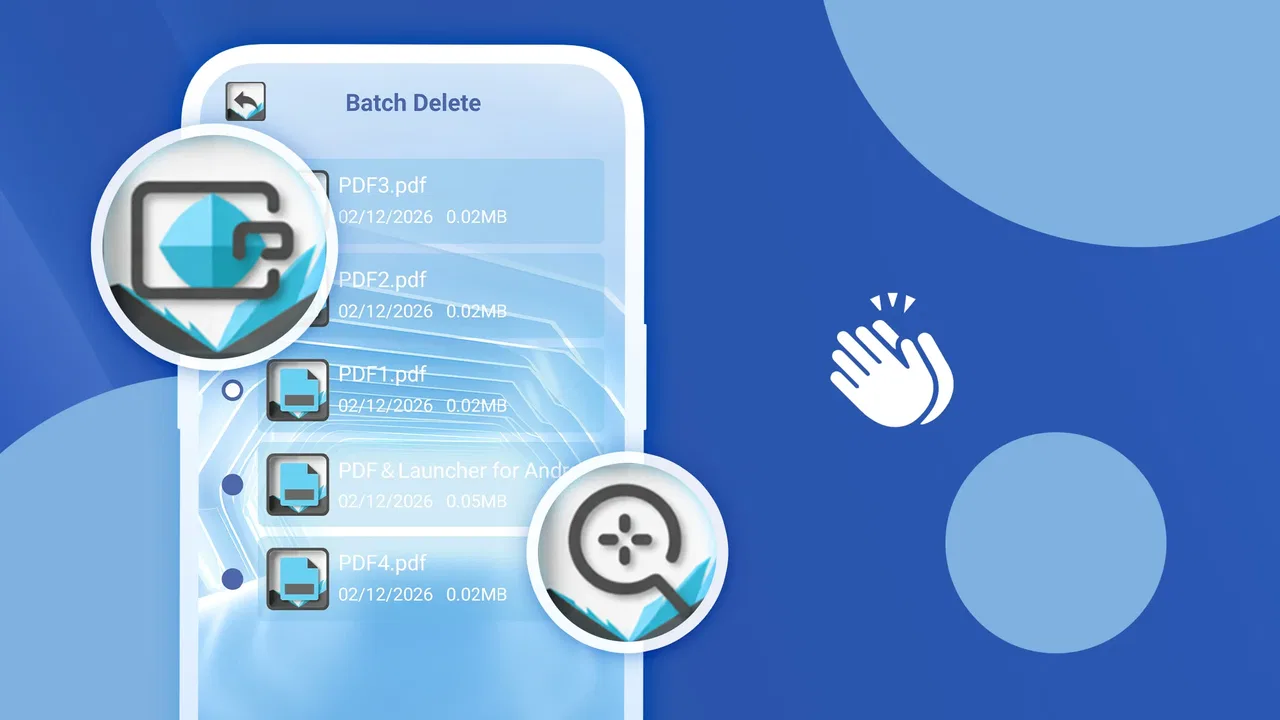
PDF & Launcher for Android
- 4.6
- Rating
- 10.00K
- Installs
- Free
- Price
 Analysis by App-foxy
I would approach PDF & Launcher as a practical tool to test against a real task, not as an automatic replacement for the document apps already on your phone. The appeal is its pairing of PDF reading with launcher access, but that pairing only helps if it fits how you find and open files. I’d start with a familiar, non-sensitive document and see whether the route from receiving it to reading it feels simple.
Before blaming the reader, check the handoff
PDFs often arrive through email, messaging apps, downloads, or shared folders, and the first point of friction may be the handoff rather than the reader itself. If a file does not open as expected, I would first confirm that it has finished downloading and that I’m opening the actual PDF rather than a preview or an incomplete attachment. Then I’d try opening it from the app or the file’s usual location again.
This small check matters because a document that is still downloading, unavailable, or opened through a different app can make a reader seem unreliable when the problem lies elsewhere. I also find it useful to test a second PDF. If one particular file behaves differently from other documents, that is a reason to treat the file itself as part of the troubleshooting, rather than assuming every document will have the same issue.
You May Also Like

 AccuWeather: Weather Radar
AccuWeather Review: A Quick, Clear Forecast for Everyday Decisions
For everyday plans, the best forecast is the one you can understand quickly. AccuWeather makes rain timing, radar, and local conditions easy to act on, with a few trade-offs.

 Hill Climb Racing
Why Hill Climb Racing Still Turns Crashes Into One More Run
A tiny car, a bumpy hill and one more upgrade: Hill Climb Racing keeps resurfacing because its simple chaos makes every near-miss feel personal.

 AliExpress - Shopping App
AliExpress Makes Global Shopping Feel Personal, but Shoppers Bear the Risk
AliExpress turns a global marketplace into a pocket-sized discovery engine. Its reach is useful, its shopping loop compelling, and its trade-offs easy to miss.

 Lords Mobile: Kingdom Wars
Lords Mobile Is a Kingdom-Building Routine, Not a Quick Match
A case-by-case verdict on the building, battles, device demands, and social commitments that make Lords Mobile rewarding for some players and exhausting for others.

 PDF Scanner app - TapScanner
TapScanner Makes Paperwork Easier to Capture, Check, and Share
TapScanner makes scanning with a phone feel less like a rescue operation and more like a dependable step in getting work done. Its capture tools are useful, though not flawless.

 Block Blast!
 Shows How Much a Puzzle Game Can Leave Out
A quiet grid game shows why puzzle players increasingly value instant clarity, repeatable skill and low-pressure play—and where the genre still needs to catch up.
More From Our News Desk
View All News


Make the first test resemble your normal routine
Rather than judging the app with a sample you never use, I’d test the everyday route: receive a PDF, locate it, open it, read what you need, and return to the home screen. Notice where you pause or need to switch apps. That reveals whether the launcher connection helps you, and it shows whether the reader fits your habits better than simply opening documents with your current default app.
For a useful comparison, try a short notice and a longer document you already have permission to read. A brief file can show whether opening a PDF feels straightforward; a longer one can reveal whether the reading experience is comfortable enough for your typical use. I would avoid using confidential work or personal records for a first test, especially when deciding whether a new utility belongs in a sensitive workflow.
How the free access shapes the experience
The most important practical point is that PDF & Launcher is free. That makes the decision easy for a reader who only needs a basic way to open PDFs on an Android phone and does not want to pay before trying a new tool. There is no purchase decision to weigh against a premium feature list here; the value comes from whether the app saves time and feels comfortable in daily use.
I also like that the cost question stays separate from expectations. Free access is useful when your needs are modest, but it does not automatically make an app a better choice than a paid reader or a broader office application. If you need advanced editing, detailed annotation, document conversion, cloud workflows, or professional collaboration, the right comparison is not simply “free versus paid.” It is whether this focused utility covers the work you actually do.
For a student checking a handout, a traveler opening a ticket document, or a person reading a manual sent through messaging, free access can be enough. In those situations, paying for a much larger suite may feel unnecessary. On the other hand, someone who handles contracts or forms every day may value specialized tools more than a no-cost download.
A useful role for quick document access
In my view, the strongest idea is the combination of a PDF reader with a launcher-related shortcut. A PDF reader on its own is familiar, but pairing it with a launcher function gives the app a more direct, utility-first character. The benefit is not that it turns a phone into a full workstation. The benefit is that it can sit between the home screen and a document, reducing the number of places you need to search when you simply want to open something.
A realistic example is a workday when someone receives a PDF schedule in a chat, checks it during a commute, and then returns to the home screen to open another app. A focused tool can make that sequence feel less cluttered than moving through a full office suite. The same applies to a family member who regularly opens school notices, appliance instructions, or booking documents but does not want to learn a complicated interface.
That convenience depends on how naturally the launcher part fits into your Android habits. If you already have a preferred home-screen setup and rarely open PDFs, the combined approach may not change much. If you appreciate a single, direct entry point for documents and basic navigation, it is easier to see the point.
What the app is good at in everyday use
I would place this app in the “quick reader” category rather than the “document office” category. That distinction matters. Reading a PDF comfortably is a different task from editing its text, signing it, reorganizing pages, extracting content, or sharing it through a structured workflow. PDF & Launcher makes the most sense when your first priority is access and reading.
For casual use, I would keep the workflow simple: open the app when a PDF arrives, read what is needed, and return to the launcher when finished. That approach avoids expecting the utility to manage every document-related task. It also makes the free offering easier to judge, because you are evaluating its speed and convenience instead of looking for features better suited to dedicated premium software.
One non-obvious advantage of a focused reader is mental overhead. A large productivity suite often presents many controls before you have even opened the document. A smaller tool can be less intimidating for people who only want to read. That is especially valuable on a phone, where a crowded toolbar can take up a noticeable part of the screen and make simple actions feel more complicated.
Where the trade-offs become important
The same focus that makes PDF & Launcher approachable also limits how far I would take it. The store positioning describes it as a PDF reader and launcher, so I would not choose it as my main document editor or as a replacement for a complete office platform. If your workflow depends on changing PDF text, adding detailed markup, filling complex forms, or maintaining organized project files, you should look at a tool built specifically for those jobs.
There is also a practical trade-off in combining two functions. Some users will appreciate the pairing, while others may prefer a dedicated reader and a separate launcher that each do one thing. If you already have a carefully arranged home screen, the launcher element could feel unnecessary rather than helpful. In that case, the reader needs to justify the installation on its own through a clean and dependable reading experience.
The early stage of the app is another reason to keep expectations measured. Version 1.0 can be perfectly usable, but it also signals that the product is at the beginning of its development path. I would be comfortable testing it for everyday reading, yet I would avoid making it the only tool in a critical document workflow until I had personally checked how it handles my own files and habits.
That is not a criticism of the developer, YINGRUN LIMITED, so much as a sensible way to evaluate a new utility. A PDF reader can appear simple until it meets a long document, an unusual layout, a form, or a file received from an unfamiliar source. The right test is to use a few documents that resemble your real needs instead of judging the app only with a short sample file.
Small habits that make the choice clearer
My first recommendation is to test the app with the PDFs you actually open most often. Try a text-heavy document, a document with images, and a file you receive through your normal messaging or email routine. This gives you a better sense of whether the reader fits your daily pattern than a generic demonstration would.
Second, decide in advance whether the launcher function is genuinely useful to you. If you often jump between the home screen and documents, the combined design may reduce friction. If your current launcher already gives you an excellent document shortcut, the extra function may add little. This is a key trade-off that a short store summary cannot explain.
Third, keep a separate option available for important editing work. That does not undermine the value of a free reader. It simply prevents disappointment when a document needs more than viewing. I see PDF & Launcher as a convenient front door for reading, while a specialized editor can remain the tool for forms, signatures, annotations, or page management when those tasks arise.
Finally, pay attention to how the app fits your privacy expectations. The store describes it as fast, secure, and private, which is an important part of its identity. I would still make my own judgment based on the documents I plan to open and the way I use my phone. For sensitive work, I prefer to test any new document utility with non-confidential files first and then decide whether it belongs in a more serious workflow.
Who is likely to get the most value?
I think the best audience is someone who wants a lightweight PDF reader on a recent Android phone and values a direct route back to the launcher. It could suit students reading course material, households opening instructions and notices, commuters checking travel documents, and workers who mainly review files rather than edit them.
It is also a reasonable option for people who dislike installing a large office suite for one narrow task. Since the app is free, the barrier to trying it is low, and the Everyone rating makes it suitable for a broad household audience. The strongest value comes when your documents are occasional, your needs are uncomplicated, and you prefer a small utility over an all-purpose productivity package.
I would be more cautious about recommending it to professionals who handle PDFs as part of a documented process. Legal, administrative, design, and business users may need reliable editing, signing, annotation, export, or file organization. For them, a dedicated professional reader or office application may be the better investment, even when that alternative costs money, because the important value is control rather than free access.
I would also suggest skipping it if you are looking only for a launcher replacement. The app’s launcher angle may be useful as part of its PDF workflow, but it should not be treated as a reason to abandon a home-screen system that already works well for you. Its value is strongest when both sides of the concept matter together.
When the app may not be the source of a problem
If an expected document is missing, I would first retrace where it came from and where the phone saved it. A PDF shared in a conversation may not be in the same place as a file downloaded through a browser or received as an email attachment. Checking the original conversation or download route can be more useful than repeatedly reopening the reader without confirming which copy you selected.
It is also worth distinguishing a display problem from a document problem. If the same PDF looks unusual in more than one reader, the source file may be the issue. If other documents open normally but one does not, I would keep that distinction in mind before changing my wider phone setup. Trying a known-good file provides a simple comparison without assuming the app has failed.
For a phone that is generally low on storage or behaving erratically, I would avoid attributing every delay to a single PDF tool. Basic housekeeping, such as closing work you no longer need and checking that the file is available locally, can help narrow down what is happening. These are general checks, not a promise that they will solve every case, but they prevent a lot of unnecessary app switching.
My final recommendation
My verdict is positive but deliberately specific: PDF & Launcher is worth trying if you want a free, focused way to read PDFs and appreciate a direct launcher connection. It offers a sensible entry point for everyday documents without asking you to commit to a paid product. The 4.6 average is encouraging, and the early install base shows that other Android users are giving it a chance, though the limited written feedback means my recommendation is based mainly on the app’s clear use case rather than a long public track record.
The best value here is convenience, not professional document power. That single distinction should guide your decision. For quick reading, simple access, and a less crowded alternative to a full office suite, the app has a convincing purpose. For editing, complex forms, serious annotation, or organized document production, choose a more specialized tool instead.
Because it is free, I see little reason for a casual PDF reader user to rule it out before testing it with real, non-sensitive files. Start with the documents you open most often, see whether the launcher connection improves your routine, and keep a stronger editor available for advanced work. If that balance matches your needs, this small Android tools app can earn a useful place on your phone without pretending to be something larger than it is.
FAQs for PDF & Launcher for Android
01What is PDF & Launcher for Android, and what does it do?
PDF & Launcher for Android is a multifunctional app designed to streamline your productivity by combining a powerful PDF reader with a customizable launcher. It allows users to view, edit, and annotate PDF documents while also providing an intuitive interface to manage apps and widgets on their Android device. This integration is perfect for users who want to enhance their workflow by accessing documents and applications seamlessly.
02How user-friendly is the interface of PDF & Launcher for Android?
The interface of PDF & Launcher for Android is designed to be user-friendly and intuitive, catering to both beginners and advanced users. With a clean layout and customizable options, users can easily navigate through different features such as PDF tools and launcher settings. The app provides quick access to frequently used functions and includes a tutorial for first-time users to get acquainted with its functionalities.
03Does PDF & Launcher for Android support document editing and annotation?
Yes, PDF & Launcher for Android offers robust features for document editing and annotation. Users can highlight text, add comments, and draw directly on PDF files. The app also supports text editing and image insertion, making it a comprehensive tool for managing documents on the go. This functionality is particularly useful for students, professionals, and anyone who needs to collaborate or review documents frequently.
04Is PDF & Launcher for Android secure for handling sensitive documents?
Security is a top priority for PDF & Launcher for Android. The app includes features such as password protection, encryption, and secure cloud storage options to safeguard sensitive documents. Users can set up fingerprint or PIN authentication to ensure that only authorized individuals can access the app. Regular updates are provided to address any security vulnerabilities, keeping your data protected.
05What are the system requirements for installing PDF & Launcher on Android devices?
PDF & Launcher for Android requires an Android device running version 5.0 (Lollipop) or higher. It also needs a minimum of 2GB of RAM for optimal performance, especially when handling large PDF files or running multiple applications simultaneously. Ensure you have enough storage space available for downloading and installing the app, as well as for storing documents and additional resources.
Pros
- User-friendly interface for easy navigation.
- Quick access to recent files and apps.
- Customizable themes and layouts.
- Efficient file management and search.
- Lightweight app with minimal battery usage.
Cons
- Contains ads that may disrupt usage.
- Limited features in the free version.
- Occasional lag on older devices.
- Requires permissions that may concern users.
- Lacks advanced PDF editing tools.

PDF & Launcher for Android
Gallery